1. Navigating to standards in the Compliance Management Module
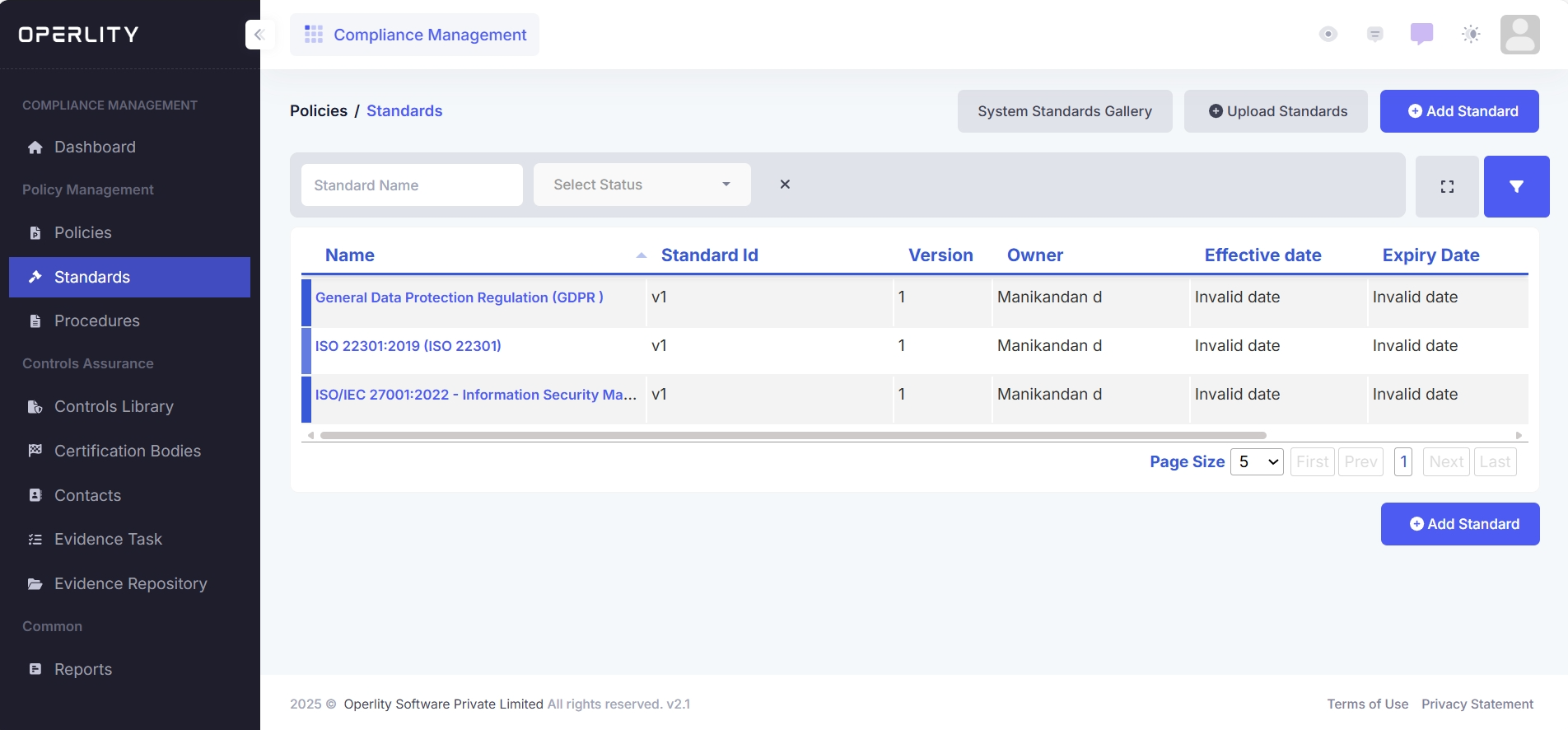
- Go to the Compliance Management Module from the left-hand menu.
- Click on the "Standards" tab.
- This section displays a list of all security frameworks available in the system.
Example: You may find ISO 27001, ISO 22301, SOC 2, GDPR, and other regulatory standards.
2. Importing a Security Standard
- Click on "System Standards Gallery" at the top right.
- A list of highly recognized security frameworks across various industries will be displayed.
- The system provides details such as:
- Standard Name (e.g., ISO 27001)
- Version (e.g., ISO/IEC 27001:2022)
- Region (e.g., Global, EU, US)
- List of controls included in the framework
- Select the standard you require and click "Import" to integrate it into your GRCHub system.
- Once imported, all controls, evidence tasks, and compliance requirements related to the selected framework will be available for management.
Example: If you import ISO 22301:2019 (Business Continuity Management Systems), all associated business continuity controls will be added to your compliance system.
3. Viewing Standard Details
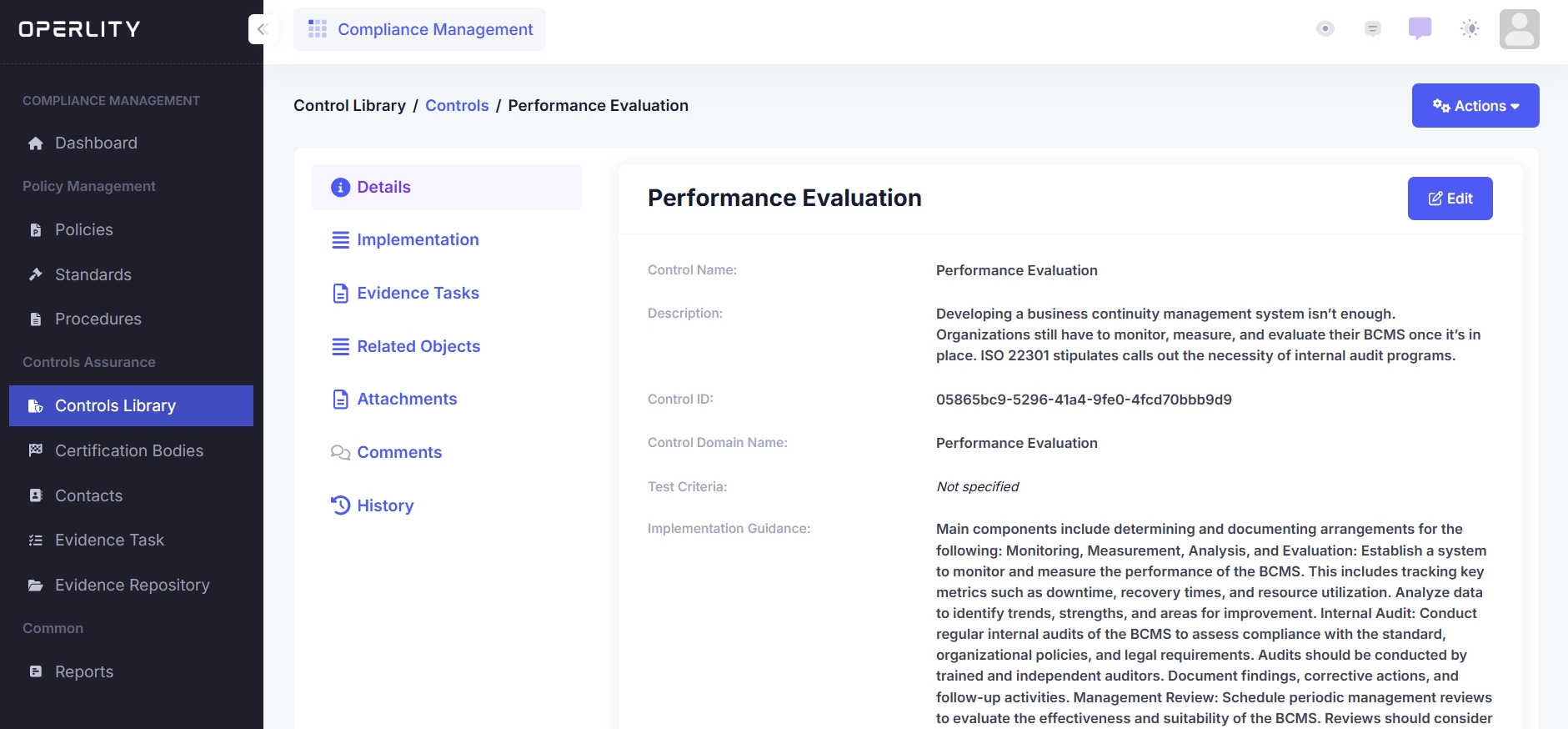
- Click on the imported standard to open its details.
- The Standard Details Page includes:
- Basic Details (Standard name, version, description)
- Controls (List of all security controls mapped to this framework)
- Certifications (Any related compliance certifications)
- Related Objects (Connected policies, risks, and procedures)
- Attachments (Supporting documents for compliance)
- Comments & History (Record of modifications and discussions)
Example: If you open ISO 27001:2022, you will find its controls related to information security management, access control, and risk assessments.

4. Implementing Security Controls
- Click on the "Controls" section under the selected standard.
- Here, you will see all controls mapped to the standard.
- To begin implementation, select the control you want to implement.
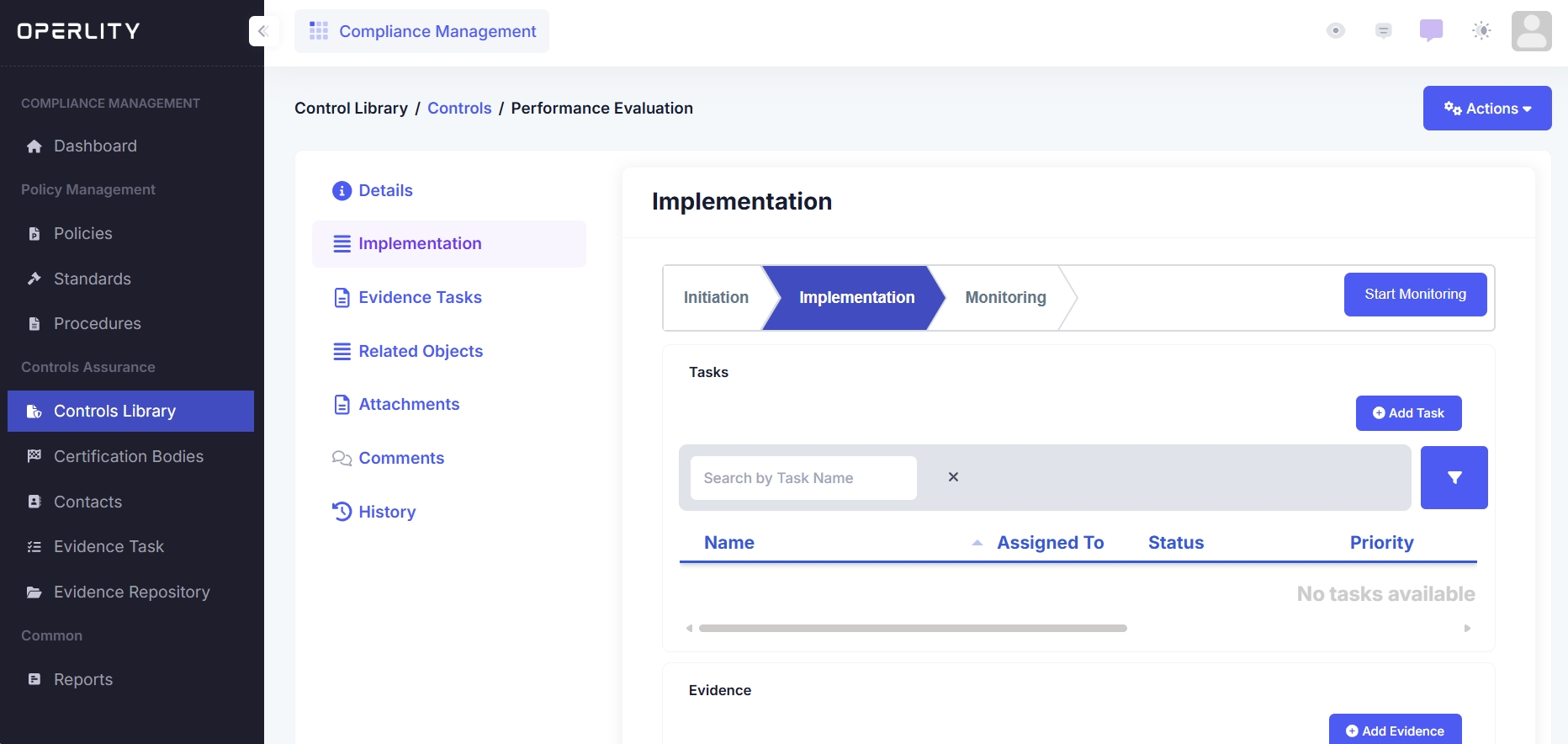
- Click on the "Implementation" tab and fill in the required fields:
- Select the asset the control will apply to.
- Start and end date for control implementation.
- Implementation description and justification.
- Click "Submit" to start the implementation process.
5. Managing the Control Implementation Workflow
Once implementation begins, the control moves through a workflow process:
5.1 Adding Tasks for Implementation
- Under the Implementation tab, you can create tasks for your team.
- Assign tasks to responsible team members.
5.2 Attaching Evidence and Test Results
- Upload supporting documents to validate control implementation.
- Conduct and record test results to ensure compliance with the standard.
5.3 Moving to the Monitoring Stage
- Once implementation is completed, move the control to the Monitoring stage.
- This ensures continuous oversight and assessment of control effectiveness.
6. Monitoring Compliance Progress
- As you progress with control implementations, you can track your compliance status via:
- Compliance Dashboard (Real-time overview of control status)
- Compliance Reports (Generate detailed reports on implementation progress)
- Internal Audits (Conduct assessments to validate compliance readiness)
Example: If implementing SOC 2, you can generate compliance reports to track readiness for a SOC 2 Type 2 certification audit.
Was this article helpful?
That’s Great!
Thank you for your feedback
Sorry! We couldn't be helpful
Thank you for your feedback
Feedback sent
We appreciate your effort and will try to fix the article