Compliance audits require organizations to demonstrate adherence to security frameworks by providing supporting documentation and evidence. Operlity allows users to upload and manage evidence to streamline the audit process and ensure regulatory compliance with frameworks such as ISO 27001, SOC 2, GDPR, and NIST.
1. Navigating to the Compliance Management Module
To upload evidence for compliance audits:
- Open the Compliance Management module from the left-hand menu.
- You can upload evidence in different sections:
- From the Dashboard (for high-level compliance tracking).
- Under the Controls Library (for evidence mapped to specific controls).
- In the Evidence Repository (for centralized document storage).
2. Uploading Evidence for a Control
If evidence needs to be uploaded for a specific control:
- Navigate to the Standards section and select the relevant compliance framework (e.g., ISO 27001).
- Go to the Controls tab and select the control that requires evidence.
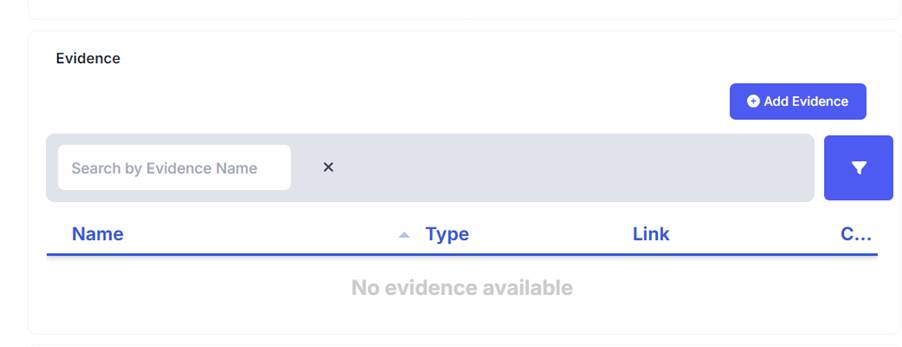
- Click on "Implementation", then choose "Add Evidence".
3. Adding Evidence to a Compliance Audit
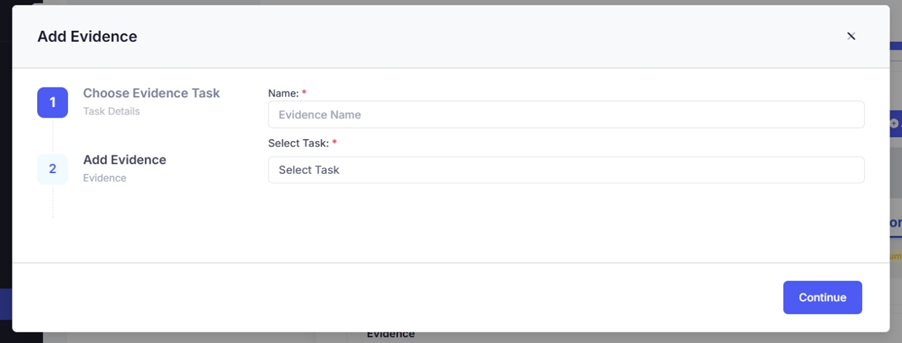
- Click "Add Evidence" in the Evidence Repository or the selected control.
- Fill in the required details:
- Evidence Name – Describe the document or proof.
- Select Task – If evidence is linked to a task or control, select the appropriate one.
- Upload File – Attach the necessary file (policy document, security log, compliance report, etc.).
- Click Submit to save the evidence.
4. Reviewing and Managing Uploaded Evidence
Once evidence is uploaded:
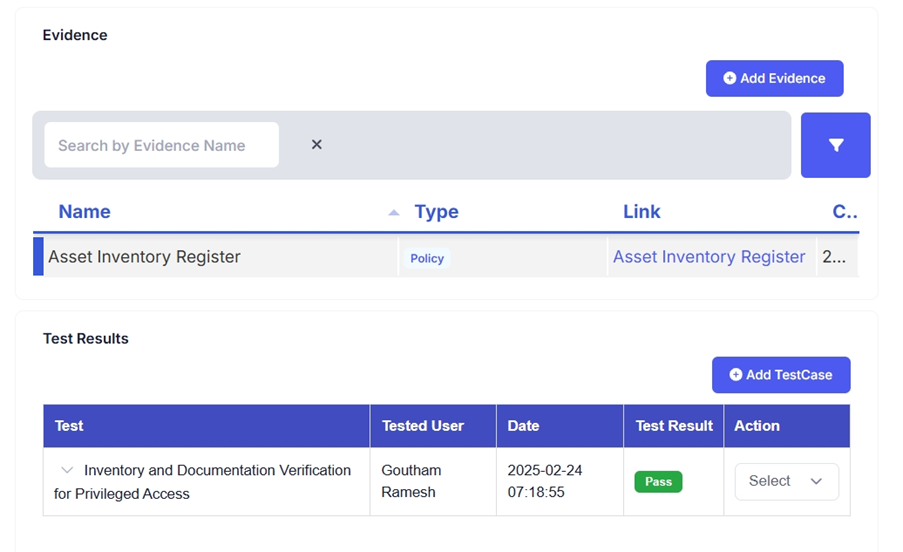
- It appears under the Evidence Repository and within the specific control.
- Auditors and compliance teams can review, validate, and link evidence to audit engagements.
- Evidence can be updated or replaced as necessary.
5. Using Evidence for Audit Readiness
Once evidence is submitted, it can be used in:
- Internal Audits: Validate control effectiveness before external assessments.
- External Audits: Ensure required documentation is available for third-party auditors.
- Compliance Reports: Generate audit-ready reports that include evidence mapping.
Was this article helpful?
That’s Great!
Thank you for your feedback
Sorry! We couldn't be helpful
Thank you for your feedback
Feedback sent
We appreciate your effort and will try to fix the article