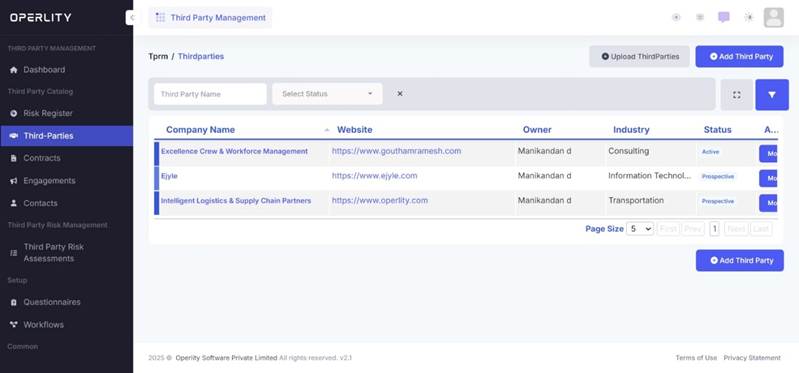
Managing third-party contracts and engagements is crucial for maintaining compliance, security, and vendor performance. The Third-Party Risk Management (TPRM) module in GRCHub provides a structured approach to track contracts, engagements, and vendor interactions efficiently.
1. Continuous Monitoring of Third-Party Risk
Once a third party is onboarded and active, users should:
- Conduct periodic risk assessments to monitor the vendor’s security posture.
- Use document processing to extract vulnerabilities from uploaded vendor reports.
1.1 AI-Powered Document Processing
- Upload vendor documents such as:
- Vulnerability Assessment & Penetration Testing (VAPT) reports
- Security certificates
- Compliance audit reports
- The AI engine analyses the document and extracts vulnerabilities.
- Users can ask the AI to automatically create risks based on the identified vulnerabilities.
Example: If a VAPT report highlights critical security flaws, the AI can generate risks that require remediation, streamlining the risk management process.
Why This Matters?
- Reduces manual effort in risk identification.
- Enhances security efficiency when managing multiple vendors.
2. Managing Third-Party Contracts
- Navigate to the "Contracts" tab.
- Upload contracts such as:
- Non-Disclosure Agreements (NDAs)
- Service Agreements
- Vendor Compliance Contracts
- The AI engine automatically reads, analyzes, and extracts key contract details, auto-populating them into the system.
This ensures that contract data is organized and easily accessible for review and compliance tracking.

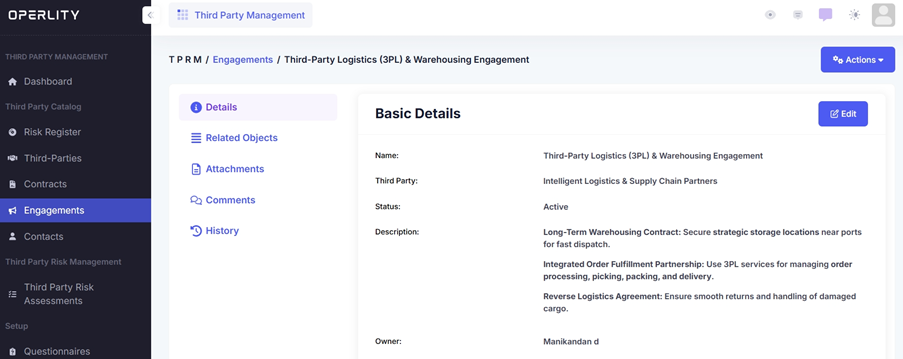
3. Managing Third-Party Engagements
- Navigate to the "Engagements" tab.
- Click on “Add Engagement” and enter the required details:
- Engagement name
- Description
- Start and end date
- Select the relevant third party
This feature allows users to track and manage vendor-related projects, services, or collaborations efficiently.
Example: If partnering with a logistics vendor, all interactions such as security audits, performance reviews, and project deliverables can be documented here.
4. Managing Vendor Contacts and Points of Contact (POCs)
- Navigate to the "Contacts" tab.
- This section provides a centralized list of vendor representatives and POCs.
- Users can update and manage vendor contact information for easier communication.
Example: If an organization needs to reach out to a compliance officer at a third-party vendor, their details will be readily available in this section.
Was this article helpful?
That’s Great!
Thank you for your feedback
Sorry! We couldn't be helpful
Thank you for your feedback
Feedback sent
We appreciate your effort and will try to fix the article